The iOS Live Activities API for anything that speaks HTTP
PushWard is an API for Apple's Live Activities: send a single HTTP request and it appears live on the iPhone Lock Screen and Dynamic Island, updating in real time and clearing itself when the task is done. No ActivityKit code, no Xcode, no App Store review on your side.
What is a Live Activity?
A Live Activity is an iOS feature that shows live, glanceable information on the Lock Screen, in the Dynamic Island, and in StandBy — without the recipient ever opening an app. Unlike a push notification that appears once and slips into the list, a Live Activity stays pinned and updates in real time: a build moving through its steps, a timer counting down, a delivery getting closer. PushWard turns a single HTTP request into one.
Apple's Live Activities, without ActivityKit
Live Activities are an Apple iOS feature introduced in iOS 16.1: glanceable, real-time surfaces pinned to the Lock Screen and the Dynamic Island. Building one normally means shipping your own iOS app with an ActivityKit widget extension, requesting push-to-start tokens, and talking to APNs yourself. PushWard replaces all of that with one REST API: the PushWard app renders your Live Activity, and a single HTTP request starts, updates, or ends it.
How the API works
Create an activity, start it, update it, and end it — all through PushWard's REST API with your integration key. Any service that can send an HTTP request can drive what people see at a glance. There are no APNs certificates and no client code to write; PushWard handles delivery through Apple Push Notification service.
# 1. Create an activity
curl -X POST https://api.pushward.app/activities \
  -H "Authorization: Bearer hlk_YOUR_KEY" \
  -H "Content-Type: application/json" \
  -d '{ "slug": "deploy", "name": "Deploy to production" }'

# 2. Start the Live Activity on the Lock Screen
curl -X PATCH https://api.pushward.app/activities/deploy \
  -H "Authorization: Bearer hlk_YOUR_KEY" \
  -H "Content-Type: application/merge-patch+json" \
  -d '{ "state": "ongoing", "content": {
    "template": "generic", "progress": 0.2,
    "state": "Building...", "accent_color": "cyan"
  } }'

# 3. End it when the task is done
curl -X PATCH https://api.pushward.app/activities/deploy \
  -H "Authorization: Bearer hlk_YOUR_KEY" \
  -H "Content-Type: application/merge-patch+json" \
  -d '{ "state": "ended", "content": {
    "template": "generic", "progress": 1, "state": "Deployed"
  } }'
A template for every kind of update
Choose from Live Activity templates built for different jobs — a generic progress bar, a countdown, a step sequence, an alert, a gauge, a timeline sparkline, a board of tiles, a live event log, or a media player with transport buttons. Each has a layout tuned for the Lock Screen and Dynamic Island.
Generic
Track any progress with a customizable bar, state label, and countdown timer.
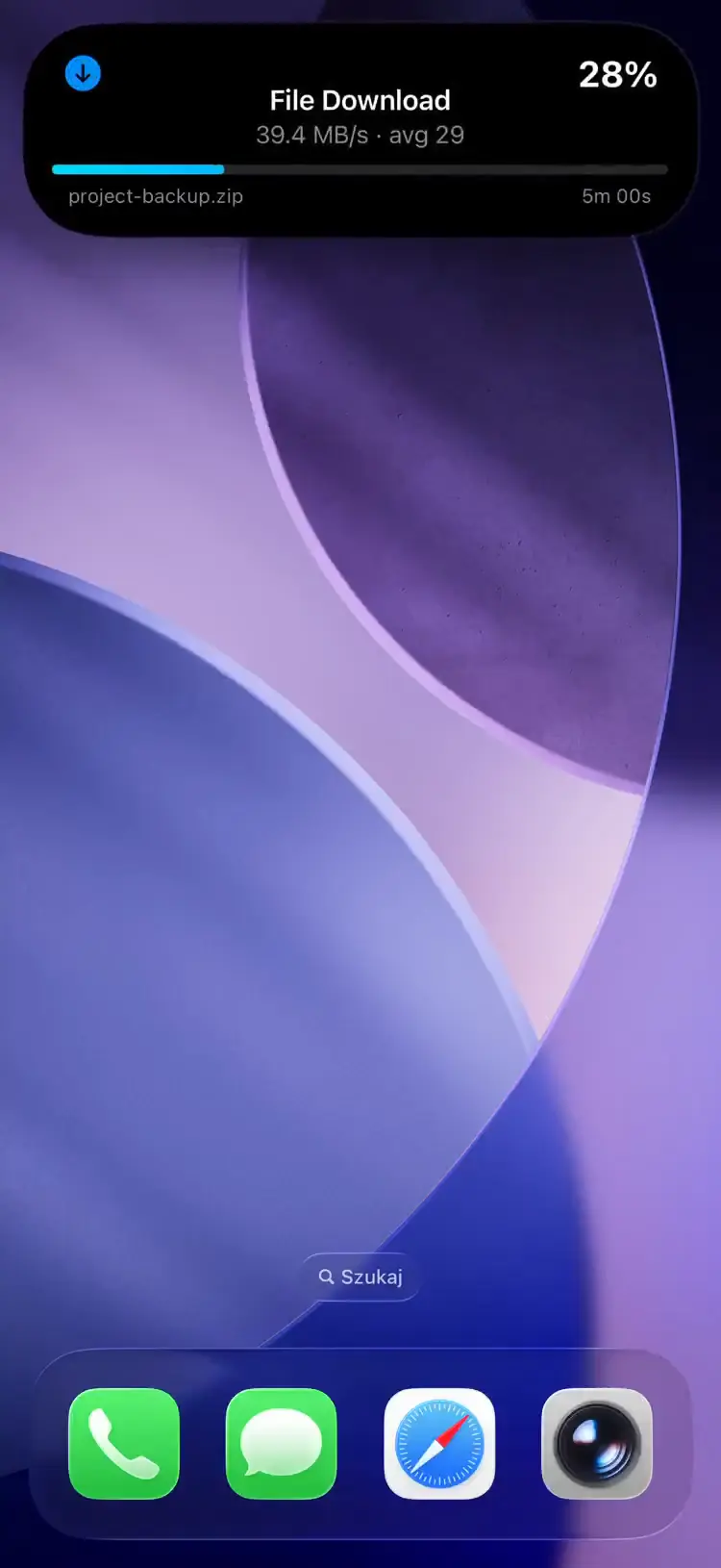
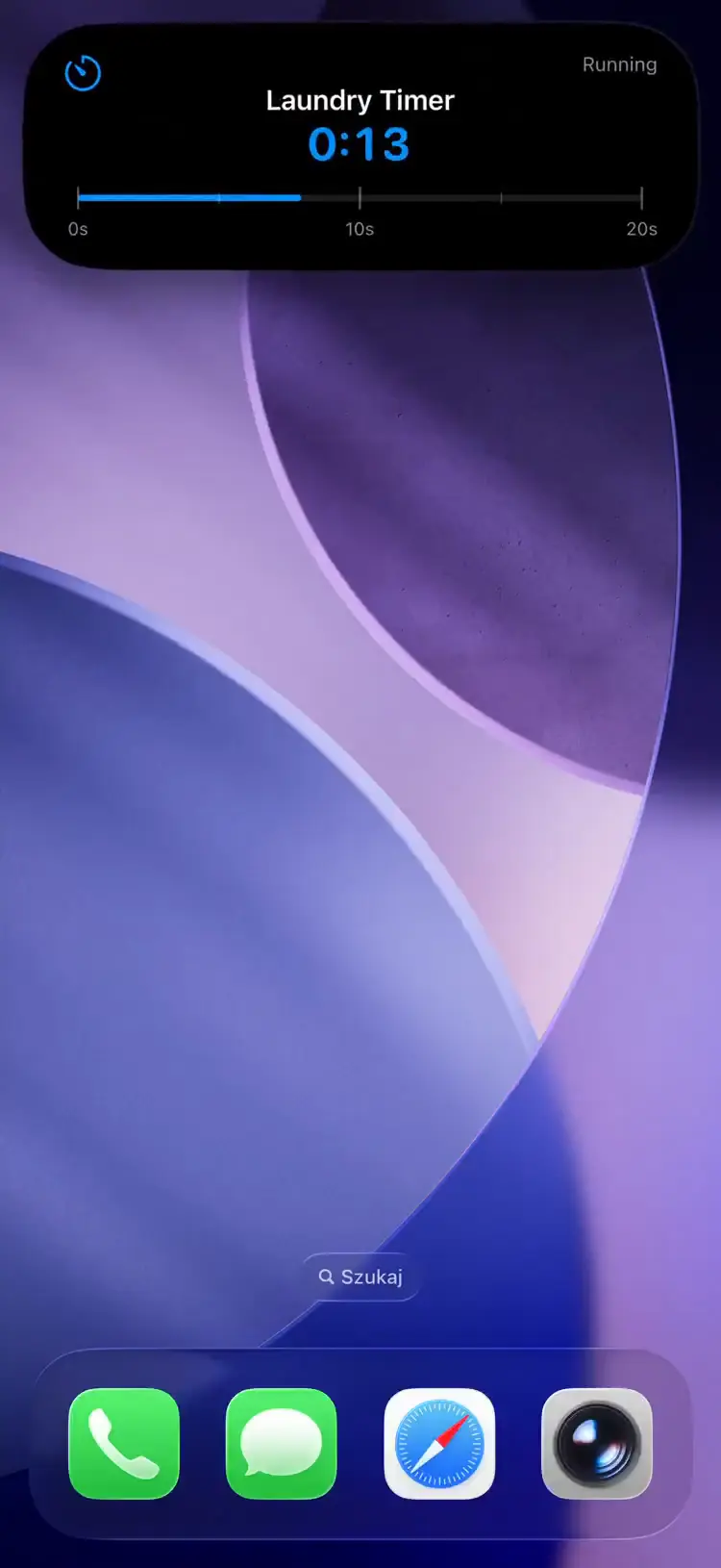
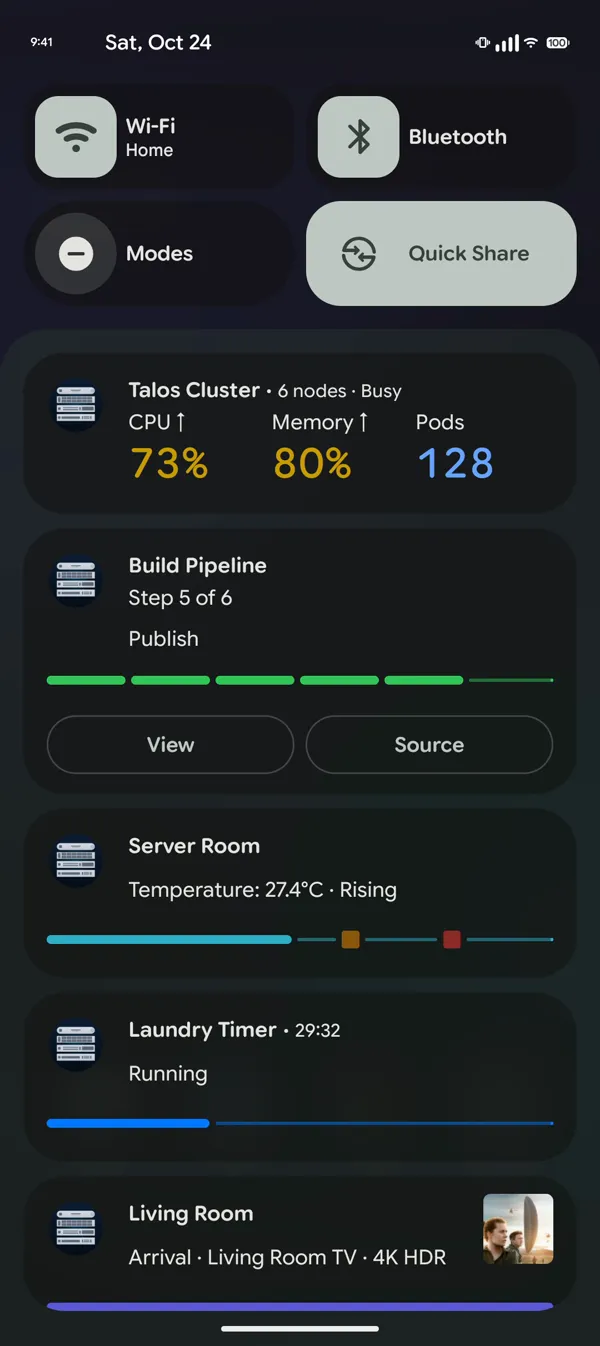
On Android, every template renders as a Live Update in the notification shade, from the same request.
Works with your stack
Send Live Activities straight from the tools you already run. Ready-made bridges and a hosted webhook relay cover Grafana alerts, Home Assistant automations, GitHub Actions, SABnzbd downloads, Bambu Lab prints, ArgoCD syncs, and anything else that can post JSON.
Frequently asked questions
Is this Apple's official Live Activities API?
No. Apple's official framework is ActivityKit, which requires building and shipping your own iOS app. PushWard is an independent iOS Live Activities API: it delivers your updates through Apple Push Notification service to the PushWard app, which renders them on the Lock Screen and in the Dynamic Island.
Can I start a Live Activity from a server?
Yes — that is the point. Any server, script, or automation that can send an HTTP request can create, start, update, and end a Live Activity. PushWard handles Apple's push-to-start flow for you, so the activity appears without the recipient opening the app.
Do recipients need an app installed?
Yes — the free PushWard iOS app renders the Live Activity. There is nothing for you to build, sign, or submit to the App Store; recipients install PushWard once and your requests drive their Lock Screen.
Which iPhones support Live Activities?
The PushWard app requires iOS 26 or later. On iPhones with the Dynamic Island the Live Activity docks into the island; on models without it, it appears on the Lock Screen and in StandBy.
Try the iOS Live Activity API
Watch a Live Activity land on a simulated iPhone in the playground, or read the getting-started guide and send your first one with curl in a few minutes.