हर उस चीज़ के लिए iOS लाइव ऐक्टिविटी API जो HTTP बोलती है
PushWard, Apple की लाइव ऐक्टिविटीज़ के लिए एक API है: एक HTTP request भेजें और वह iPhone की लॉक स्क्रीन और Dynamic Island पर लाइव दिखाई देती है, real-time में अपडेट होती है और काम पूरा होने पर खुद हट जाती है। न ActivityKit कोड, न Xcode, न आपकी तरफ़ से App Store review।
लाइव ऐक्टिविटी क्या है?
लाइव ऐक्टिविटी iOS की एक सुविधा है जो लॉक स्क्रीन, Dynamic Island और स्टैंडबाय पर लाइव, एक नज़र में समझ आने वाली जानकारी दिखाती है — और पाने वाले को कोई app खोलने की ज़रूरत नहीं पड़ती। push notification के उलट, जो एक बार दिखकर सूची में खो जाता है, लाइव ऐक्टिविटी टिकी रहती है और real-time में अपडेट होती है: अपने steps से गुज़रता build, गिनती करता timer, पास आती delivery। PushWard एक HTTP request को ठीक इसी में बदल देता है।
Apple की लाइव ऐक्टिविटीज़, बिना ActivityKit के
लाइव ऐक्टिविटीज़ Apple की एक iOS सुविधा है जो iOS 16.1 में आई: लॉक स्क्रीन और Dynamic Island पर टिकी, एक नज़र में समझ आने वाली real-time सतहें। आम तौर पर इन्हें बनाने का मतलब है ActivityKit widget extension के साथ अपना iOS app शिप करना, push-to-start token माँगना और खुद APNs से बात करना। PushWard इस सबकी जगह एक REST API देता है: PushWard app आपकी लाइव ऐक्टिविटी render करता है, और एक HTTP request उसे शुरू, अपडेट या ख़त्म कर देती है।
API कैसे काम करता है
activity बनाएँ, शुरू करें, अपडेट करें और ख़त्म करें — सब कुछ आपकी integration key के साथ PushWard के REST API से। कोई भी service जो HTTP request भेज सकती है, यह तय कर सकती है कि लोग एक नज़र में क्या देखते हैं। न APNs certificates चाहिए, न कोई client कोड लिखना है; delivery PushWard, Apple Push Notification service के ज़रिए संभालता है।
# 1. Create an activity
curl -X POST https://api.pushward.app/activities \
  -H "Authorization: Bearer hlk_YOUR_KEY" \
  -H "Content-Type: application/json" \
  -d '{ "slug": "deploy", "name": "Deploy to production" }'

# 2. Start the Live Activity on the Lock Screen
curl -X PATCH https://api.pushward.app/activities/deploy \
  -H "Authorization: Bearer hlk_YOUR_KEY" \
  -H "Content-Type: application/merge-patch+json" \
  -d '{ "state": "ongoing", "content": {
    "template": "generic", "progress": 0.2,
    "state": "Building...", "accent_color": "cyan"
  } }'

# 3. End it when the task is done
curl -X PATCH https://api.pushward.app/activities/deploy \
  -H "Authorization: Bearer hlk_YOUR_KEY" \
  -H "Content-Type: application/merge-patch+json" \
  -d '{ "state": "ended", "content": {
    "template": "generic", "progress": 1, "state": "Deployed"
  } }'
हर तरह के अपडेट के लिए एक template
अलग-अलग कामों के लिए बने लाइव ऐक्टिविटी templates में से चुनें — generic progress bar, countdown, steps का sequence, alert, gauge, timeline sparkline, tiles का board, live event log, या प्लेबैक बटन वाला एक मीडिया प्लेयर। हर एक का layout लॉक स्क्रीन और Dynamic Island के लिए tuned है।
Generic
एक कस्टमाइज़ करने योग्य बार, state label, और countdown timer के साथ किसी भी प्रगति को ट्रैक करें।
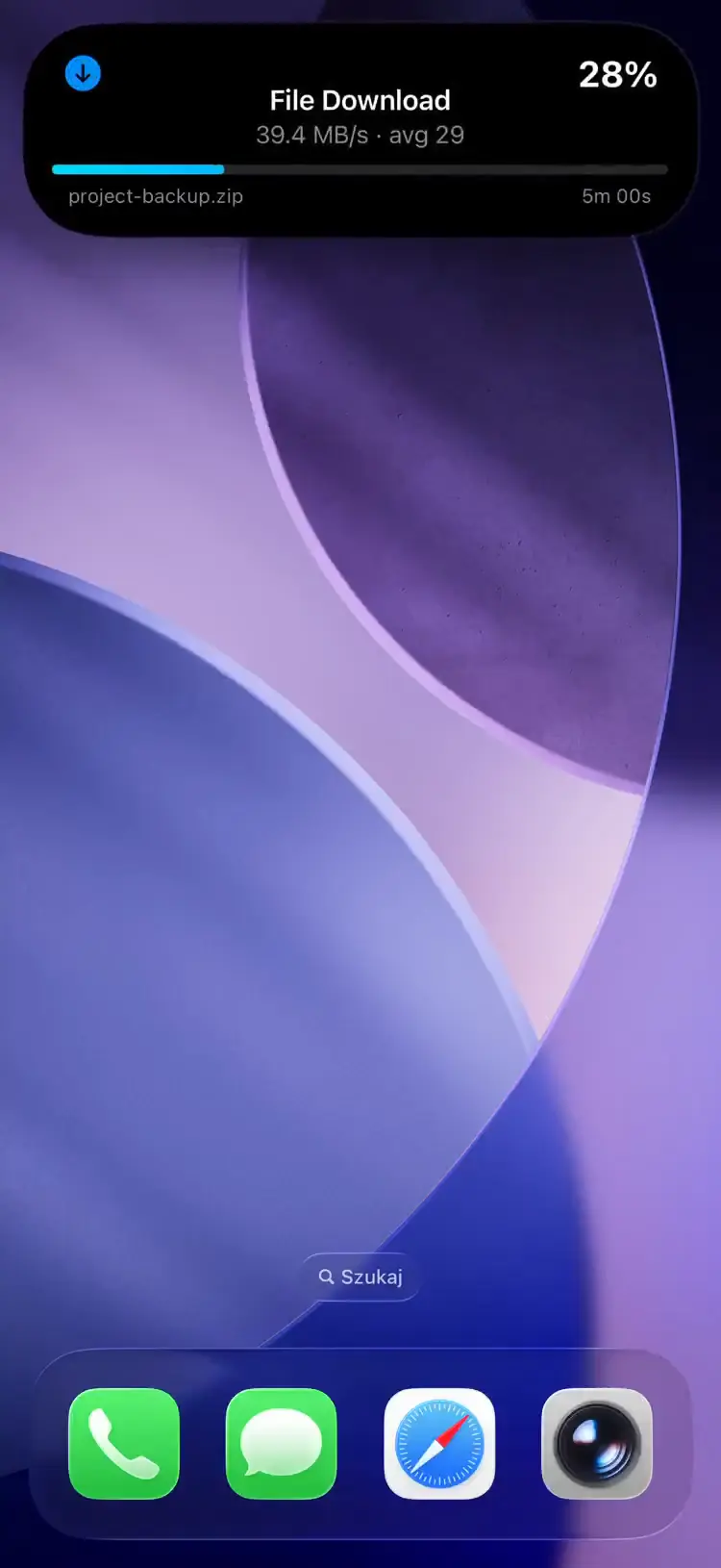
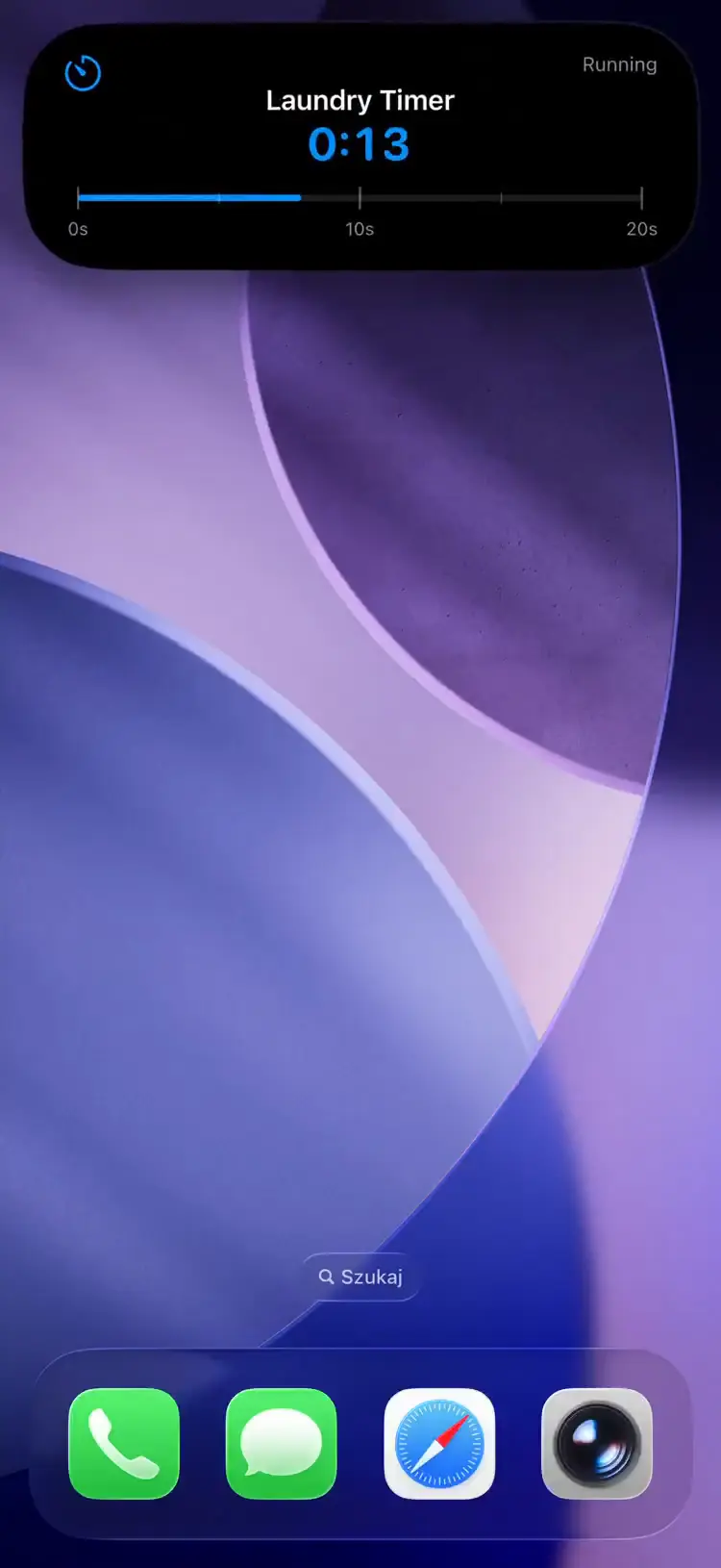
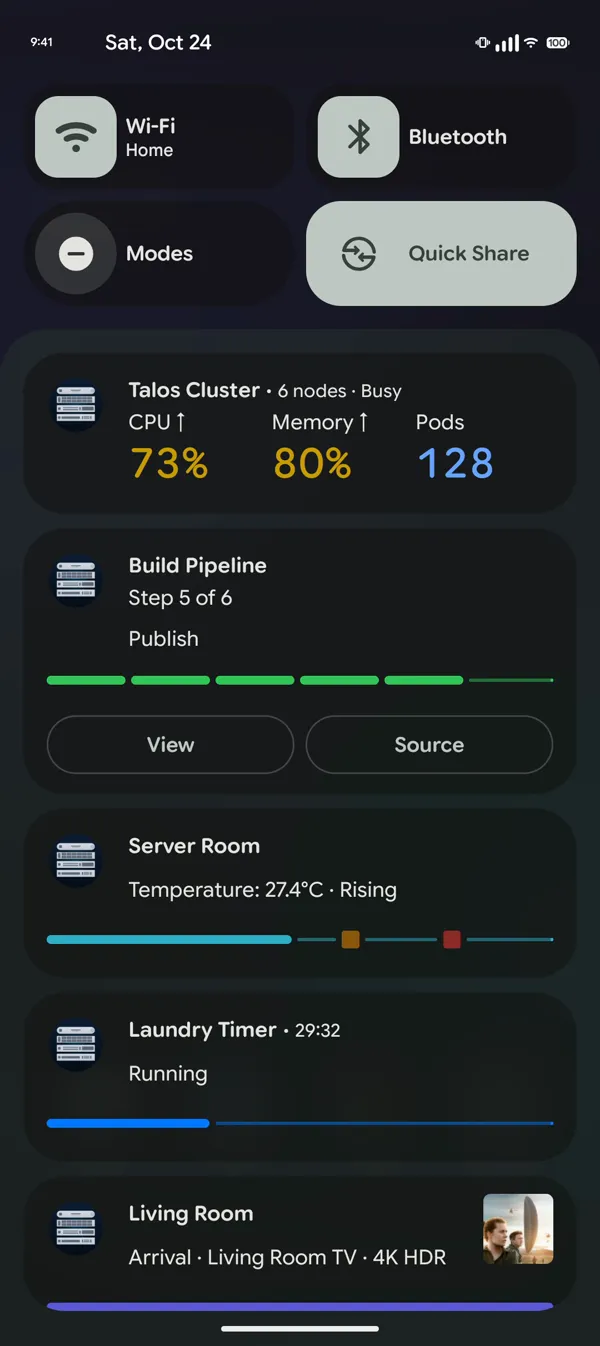
Android पर हर टेम्पलेट उसी अनुरोध से नोटिफ़िकेशन शेड में लाइव अपडेट के रूप में दिखता है।
आपके stack के साथ काम करता है
जिन tools को आप पहले से चला रहे हैं, उन्हीं से सीधे लाइव ऐक्टिविटीज़ भेजें। ready-made bridges और hosted webhook relay Grafana alerts, Home Assistant automations, GitHub Actions, SABnzbd downloads, Bambu Lab prints, ArgoCD syncs और JSON भेज सकने वाली हर चीज़ को cover करते हैं।
अक्सर पूछे जाने वाले प्रश्न
क्या यह Apple की आधिकारिक लाइव ऐक्टिविटी API है?
नहीं। Apple का आधिकारिक framework ActivityKit है, जिसके लिए अपना iOS app बनाकर शिप करना पड़ता है। PushWard एक स्वतंत्र iOS लाइव ऐक्टिविटी API है: यह आपके अपडेट Apple Push Notification service के ज़रिए PushWard app तक पहुँचाता है, जो उन्हें लॉक स्क्रीन और Dynamic Island पर render करता है।
क्या मैं किसी server से लाइव ऐक्टिविटी शुरू कर सकता हूँ?
हाँ — यही तो मक़सद है। कोई भी server, script या automation जो HTTP request भेज सकती है, लाइव ऐक्टिविटी बना सकती है, शुरू, अपडेट और ख़त्म कर सकती है। Apple का push-to-start flow PushWard आपके लिए संभालता है, इसलिए ऐक्टिविटी बिना पाने वाले के app खोले ही दिख जाती है।
क्या पाने वालों को कोई app इंस्टॉल करना होगा?
हाँ — मुफ़्त PushWard iOS app लाइव ऐक्टिविटी render करता है। आपको कुछ भी बनाना, sign करना या App Store पर submit नहीं करना; पाने वाले PushWard एक बार इंस्टॉल करते हैं और आपकी requests उनकी लॉक स्क्रीन चलाती हैं।
कौन से iPhone लाइव ऐक्टिविटीज़ सपोर्ट करते हैं?
PushWard app के लिए iOS 26 या उसके बाद का version चाहिए। Dynamic Island वाले iPhone पर लाइव ऐक्टिविटी island में समा जाती है; जिन मॉडलों में यह नहीं है, वहाँ यह लॉक स्क्रीन और स्टैंडबाय पर दिखती है।
iOS लाइव ऐक्टिविटी API आज़माएँ
playground में एक simulated iPhone पर लाइव ऐक्टिविटी आती हुई देखें, या getting-started guide पढ़ें और कुछ ही मिनटों में curl से अपनी पहली लाइव ऐक्टिविटी भेजें।