New PushWard for Android
Live Updates on Android from any HTTP request.
Point your servers, CI pipelines, scripts and smart home at one API. Their status shows up in the status bar, on the lock screen and on the home screen of your Android phone.
In closed testing on Google Play now; the public listing opens soon. Android 12 or later, free to start.

Live Updates
Your jobs, live in the status bar
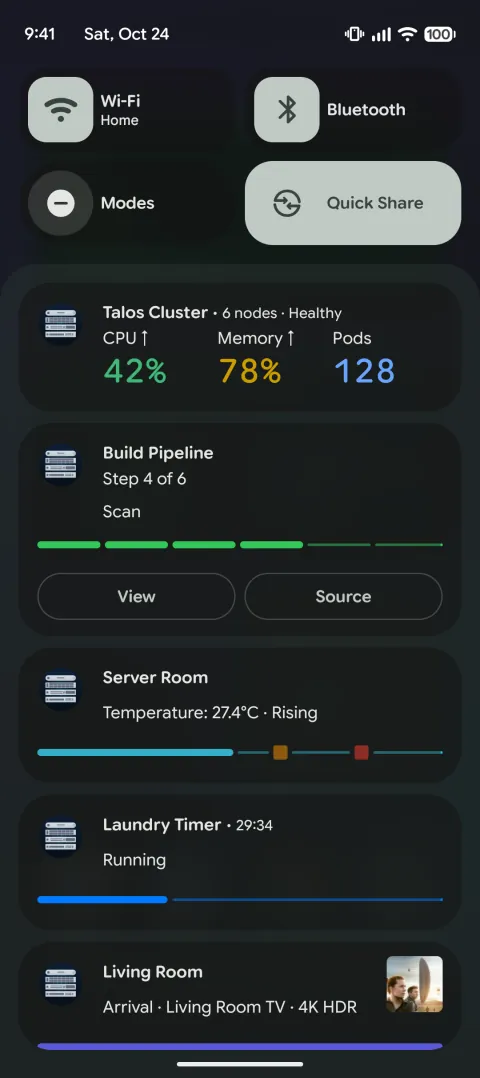
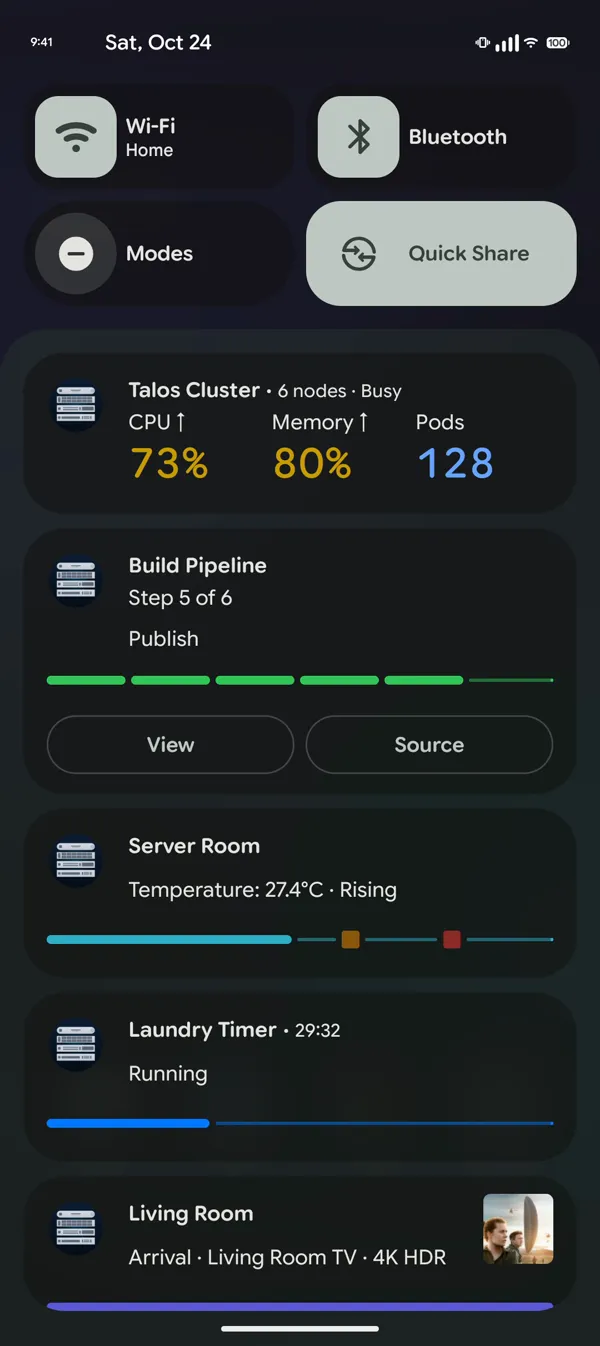
Create an activity once, then PATCH its state from anywhere. Ten templates cover progress bars, countdowns, CI steps, gauges, boards of up to four tiles, logs, media and approvals.
- Android 16 and later: promoted Live Updates, with a status bar chip from the Android 16 QPR2 update on
- Android 17: gauges and boards render as metric cards, a board with its first three tiles
- Android 12 to 15: the same activities as notifications that update in place
Notifications
Notifications you can answer
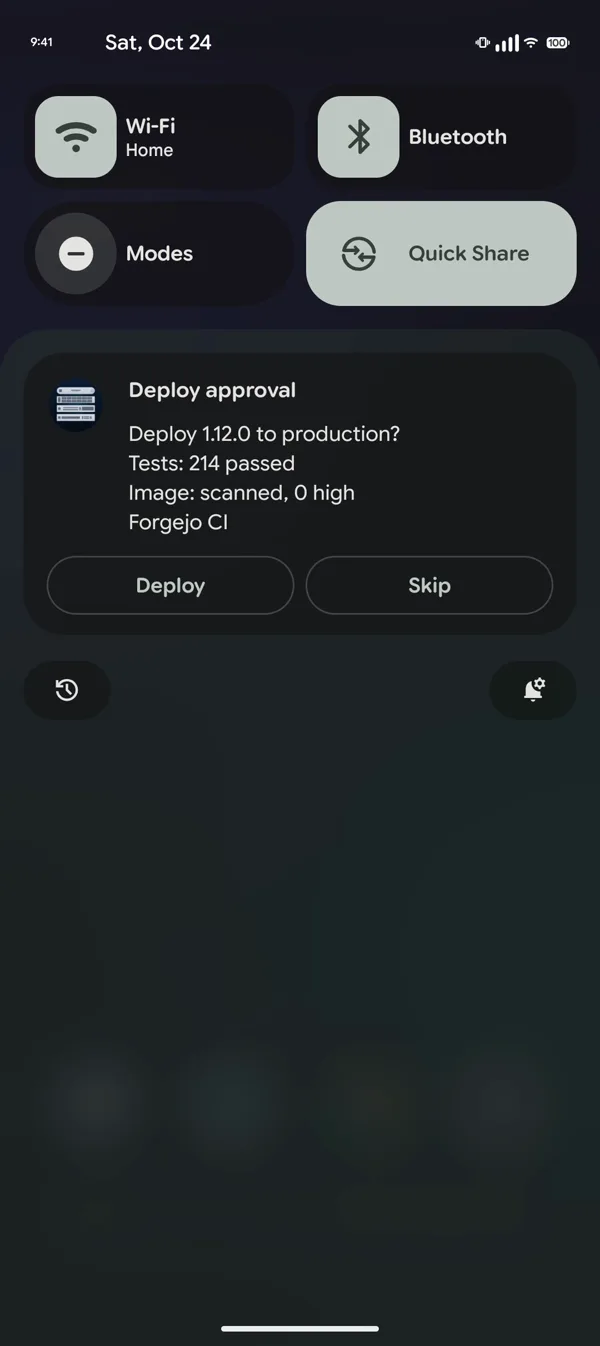
Add buttons and the tap goes to your webhook, or to a script that is waiting for the answer. This one holds a production deploy until someone taps Deploy.
- Action buttons and inline replies
- Alerts that stay until someone acknowledges them
- Critical alerts that get through Do Not Disturb, if you allow it
- Countdown alarms that ring until dismissed or snoozed
- Optional end-to-end encryption, with the key moved by QR code
Widgets
Numbers on the home screen
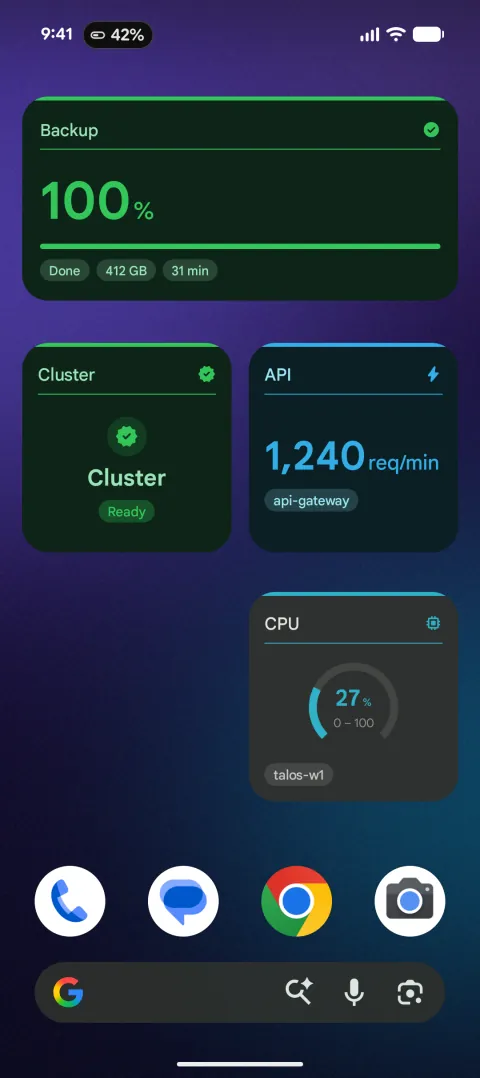
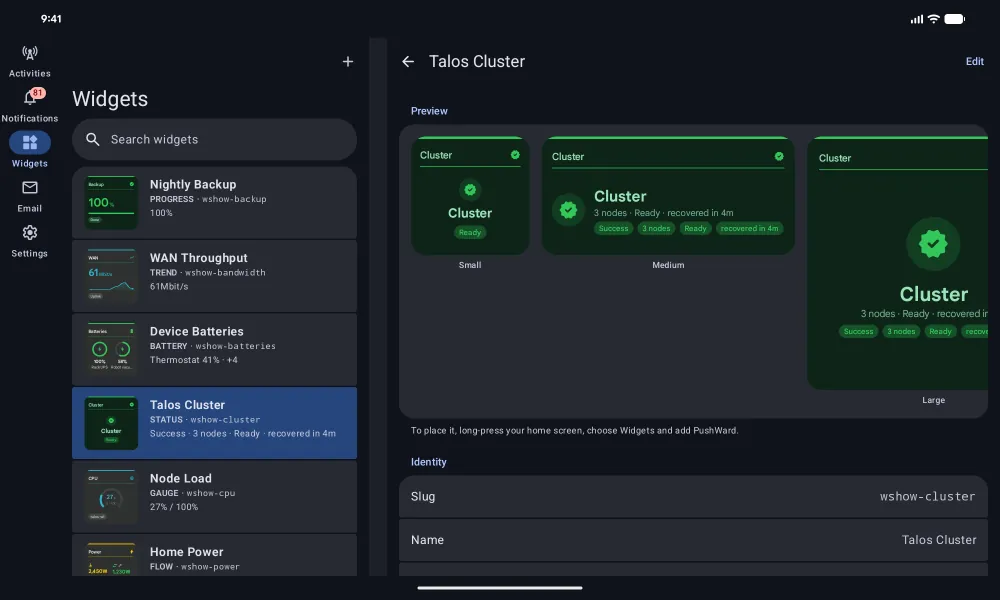
Register a widget once and PATCH its value whenever it changes. The home screen updates without opening the app.
- Ten widget templates, from a single value to a stat list
- Quick Settings tiles and launcher shortcuts that fire a webhook or open the inbox
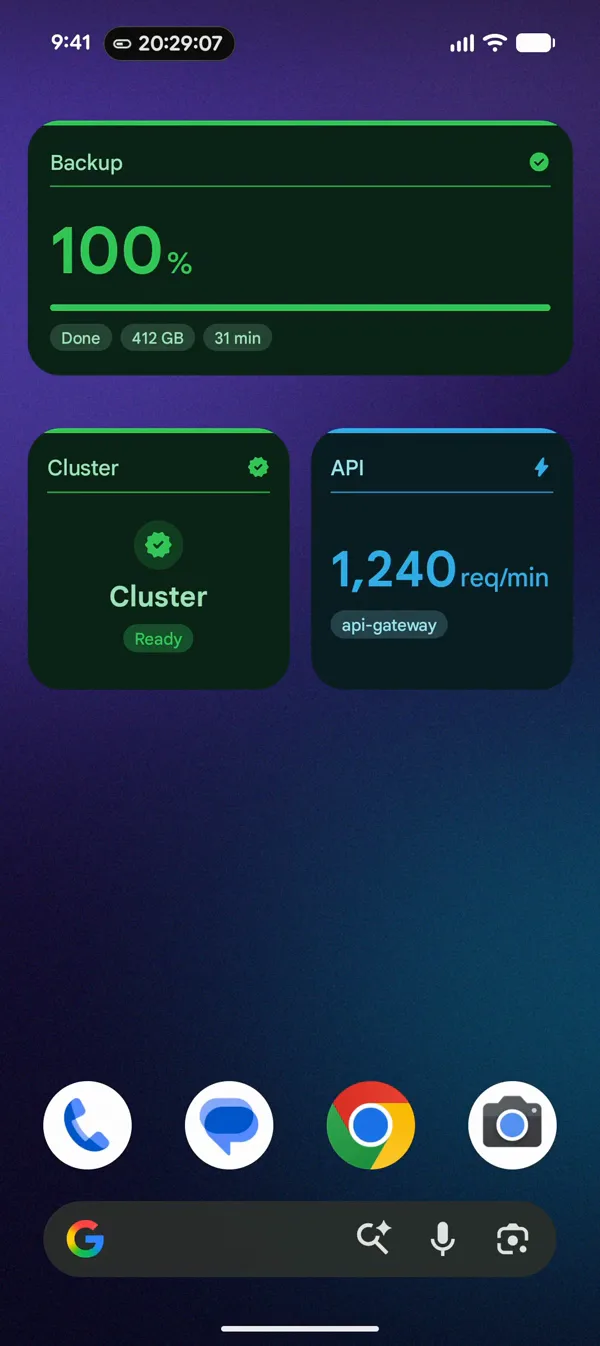
The app around it
Native Kotlin and Material 3, in the same 25 languages as the iPhone app.
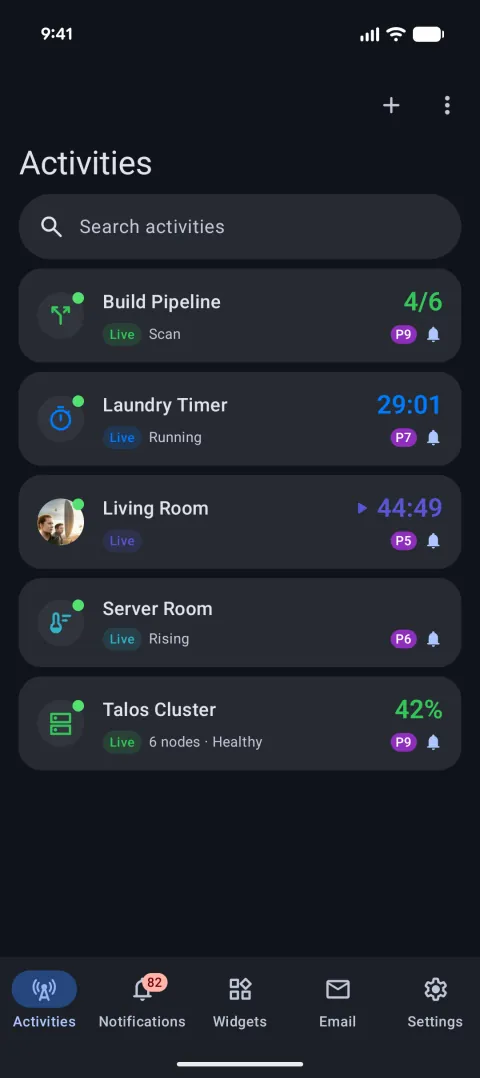
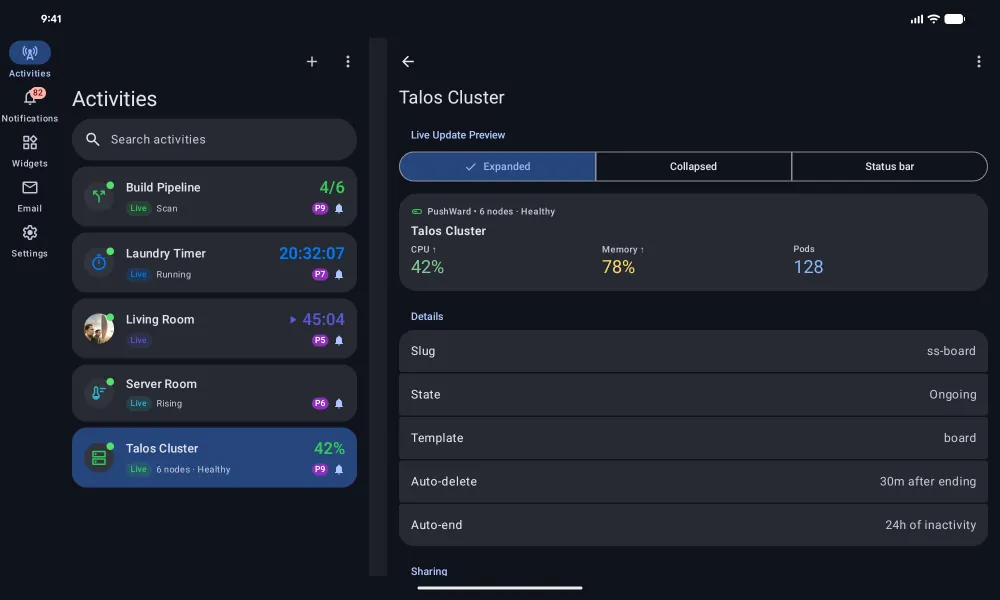
Every running activity and its current value 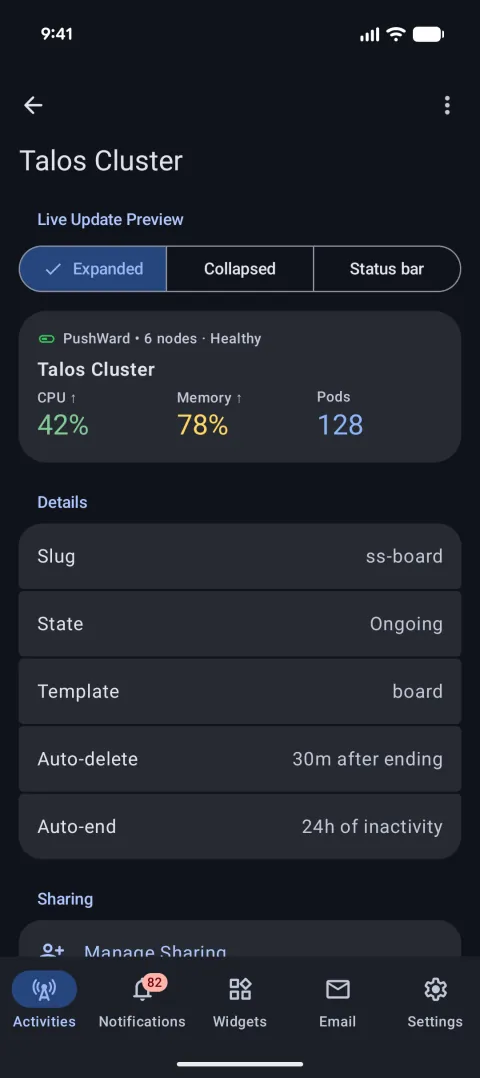
See an activity expanded, collapsed and in the status bar 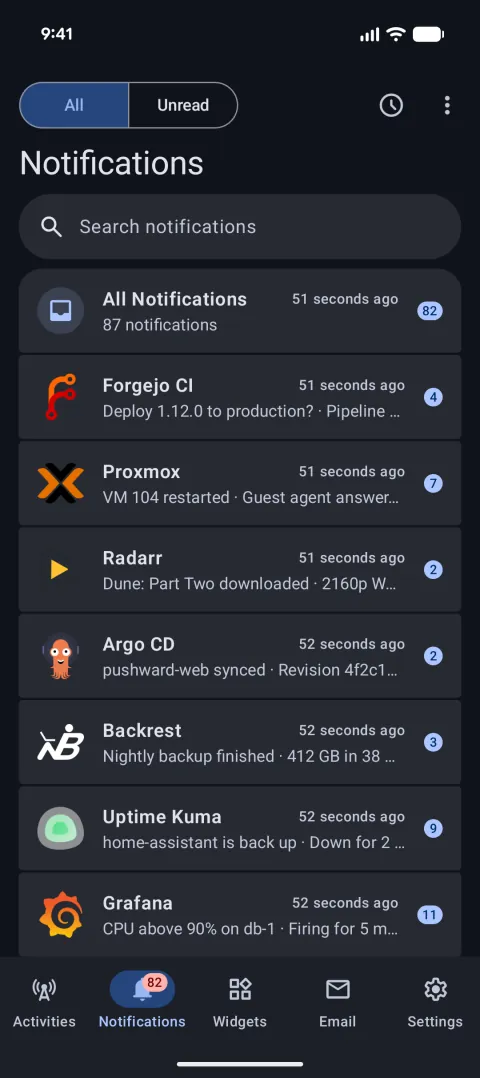
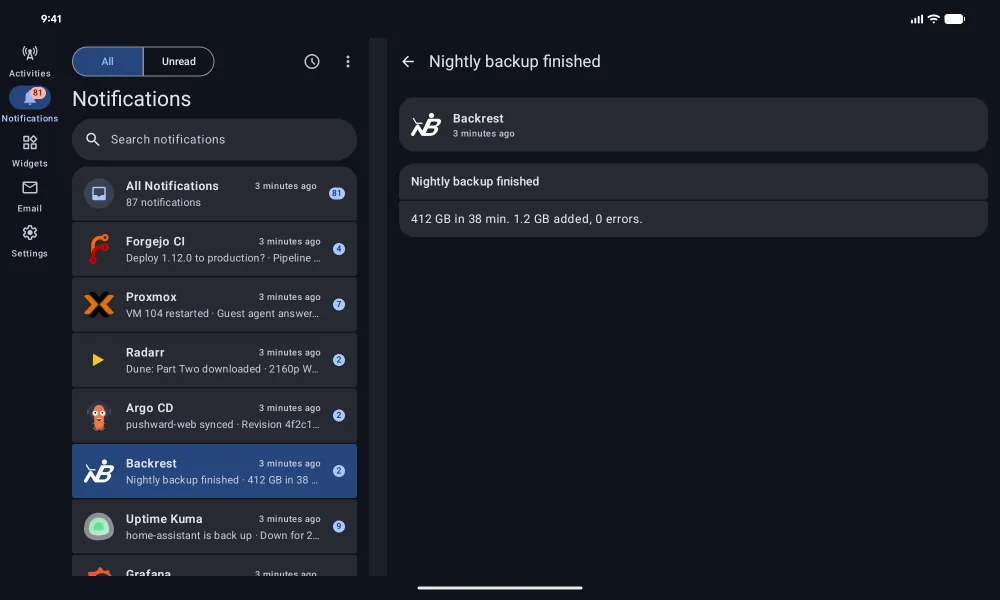
One inbox, grouped by the service that sent it 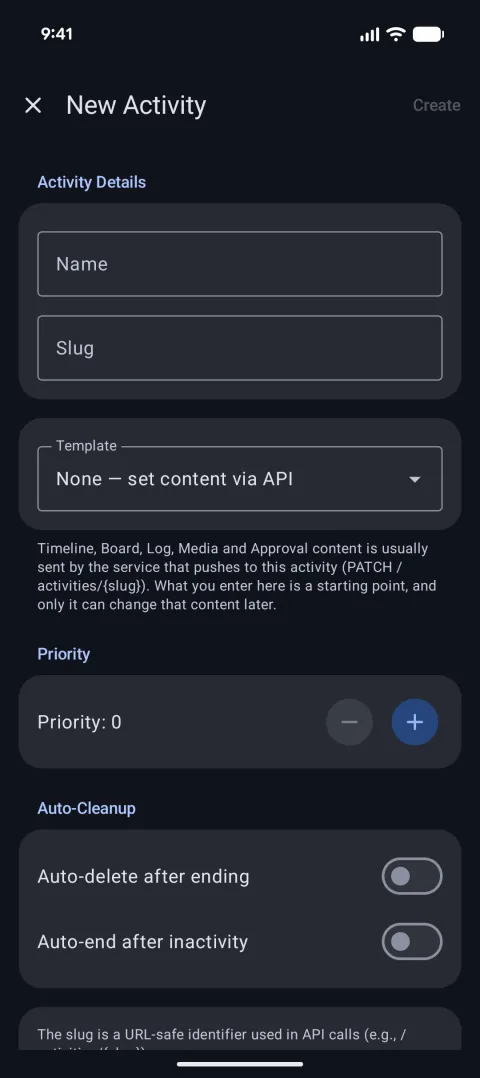
Build a new activity without writing code
Room for more on tablets and foldables
On a tablet or an unfolded foldable the app moves to a navigation rail, and in landscape it puts the list next to the detail.
Same account, same API, works with your iPhone too
The Android app is one more client for the PushWard you may already use on iPhone, iPad or Mac.
One request, every phone
Updates go to every device signed in to your account, iPhone and Android alike. The relay, the bridges, Home Assistant, the CLI and the GitHub Action need no changes.
Sign in with Apple works here
Use Sign in with Apple to open the account you made on your iPhone, or start a new one with Google. No passwords either way.
Your plan comes along
Already subscribed on iPhone? Use Sign in with Apple on Android, with the same Apple ID, and the plan works there too. New plans on Android go through Google Play.
curl -X PATCH https://api.pushward.app/activities/build \
  -H "Authorization: Bearer hlk_..." \
  -H "Content-Type: application/merge-patch+json" \
  -d '{ "state": "ongoing", "content": {
    "template": "steps", "progress": 0.9, "state": "Deploy",
    "current_step": 6, "total_steps": 6
  } }'
Frequently asked questions
Which Android versions does it run on?
Android 12 or later, on phones, tablets and foldables. Promoted Live Updates need Android 16, and the status bar chip appears from the Android 16 QPR2 update on. On Android 12 to 15 your activities show as notifications that update in place.
What does it cost on Android?
The free tier needs no card: 500 notifications and 250 Live Update updates a month, 3 devices and 5 Live Updates at once. The PushWard Plan allows 5,000 notifications a day, Live Update updates without a cap, up to 10 devices and sharing. Buy it in the app through Google Play, as a yearly subscription with a 14-day free trial for new subscribers or as a one-time Lifetime purchase. Google Play shows the price in your currency.
How do I sign in?
With your Google account, or with Sign in with Apple to use the same account as on your iPhone. There is no password. A Google sign-in shares your email address with PushWard.
I already pay on iPhone. Do I pay again?
No. The plan belongs to your PushWard account, so it carries over once you sign in on Android with Sign in with Apple and the same Apple ID. The Family plan is sold on the App Store only.
Do I need a Firebase project or server keys?
No. PushWard delivers through Firebase Cloud Messaging on its side. You send the same HTTP requests as for iPhone and never handle device tokens.
Does it work with a Wear OS watch?
Notifications do. Android passes PushWard's notifications to a paired Wear OS watch the same way it passes any other app's, so alerts show up on your wrist. There is no Wear OS app yet.
PushWard for Android is in testing
It is in closed testing on Google Play now, and the public listing opens soon. The API is the same as for iPhone, so whatever you set up today will reach an Android phone too.
Apple and the Apple logo are trademarks of Apple Inc., registered in the U.S. and other countries. App Store is a service mark of Apple Inc. Google Play and the Google Play logo are trademarks of Google LLC.