SABnzbd
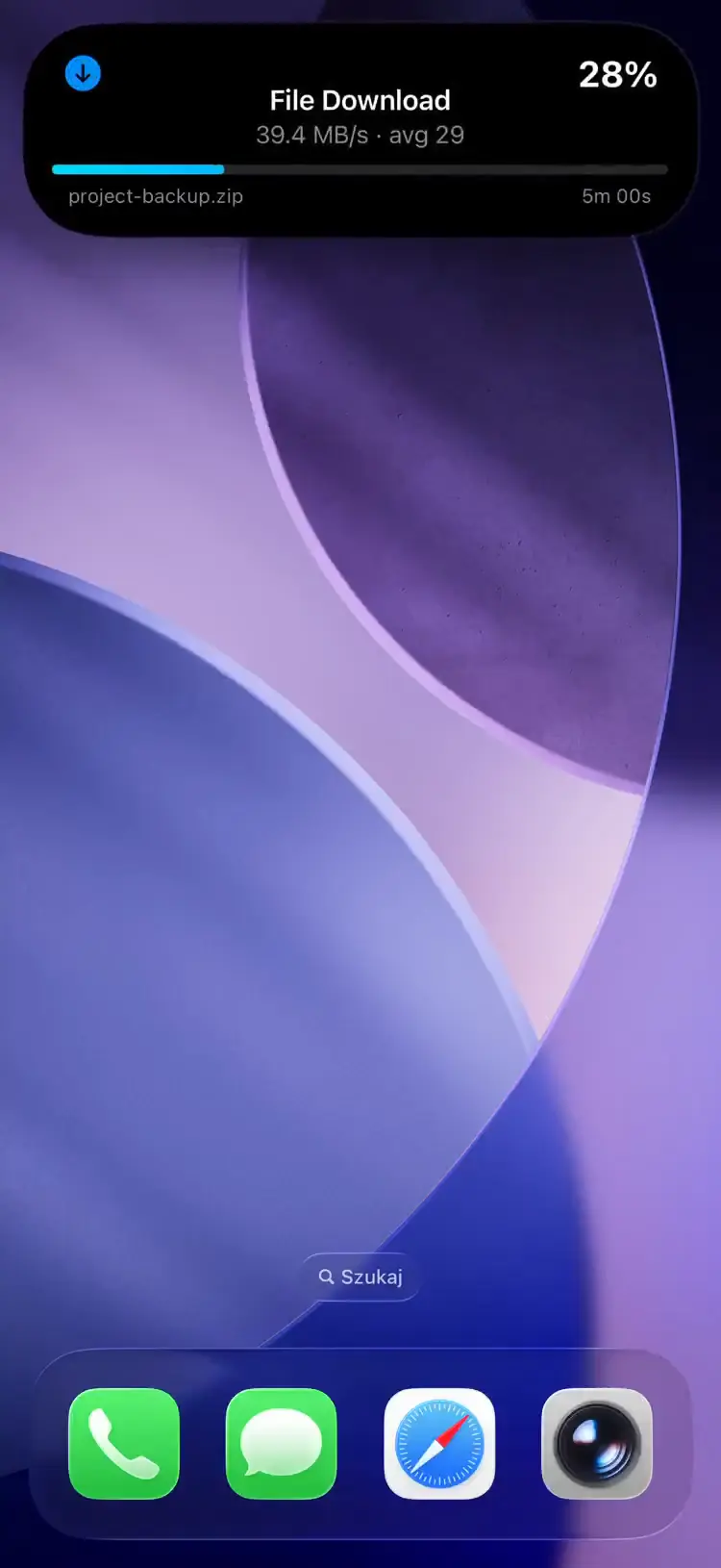
Theo dõi tiến trình tải xuống SABnzbd dưới dạng Hoạt động trực tiếp trên Màn hình khóa của iPhone. Xem tên tệp, tốc độ, ETA và các giai đoạn hậu xử lý theo thời gian thực.
How It Works
The pushward-sabnzbd bridge container runs an HTTP server that receives webhooks from SABnzbd and tracks download and post-processing progress.
- Webhook -- SABnzbd notifies the bridge when a download is added
- Download tracking -- polls SABnzbd every 5s (configurable), showing progress, speed (MB/s), ETA, and file name
- Post-processing -- tracks Verifying, Repairing, Extracting, and Moving phases
- Queue continuation -- if more downloads appear, continues tracking
- Summary -- shows total size, duration, and average speed before cleanup
Setup
1. Get Your Integration Key
Sử dụng khóa tích hợp mặc định của bạn từ ứng dụng PushWard trong Settings → Integration Key hoặc tạo một khóa có phạm vi giới hạn cho tích hợp này.
2. Deploy the Bridge
services:
  pushward-sabnzbd:
    image: ghcr.io/mac-lucky/pushward-sabnzbd:latest
    ports:
      - "8090:8090"
    environment:
      PUSHWARD_URL: https://api.pushward.app
      PUSHWARD_API_KEY: hlk_YOUR_INTEGRATION_KEY
      PUSHWARD_SABNZBD_URL: http://sabnzbd:8080/api
      PUSHWARD_SABNZBD_API_KEY: your-sabnzbd-api-key
    restart: unless-stopped
3. Configure SABnzbd Notification Script
In SABnzbd, configure a notification script that sends a POST request to the bridge webhook:
- Go to Config > Notifications
- Under Notification Script, add a script that calls the webhook
- Enable notifications for Added NZB
Alternatively, use a curl-based script:
#!/bin/bash
curl -X POST http://pushward-sabnzbd:8090/webhook \
  -H "X-Webhook-Secret: your-secret"
The secret is defined on the bridge container (the PUSHWARD_SABNZBD_WEBHOOK_SECRET env var in the Configuration table below) and sent by this script; SABnzbd itself has no field for it.
Configuration
| Biến môi trường | Mô tả | Mặc định |
|---|---|---|
PUSHWARD_URL | PushWard server URL | -- |
PUSHWARD_API_KEY | Integration key (hlk_ prefix) | -- |
PUSHWARD_SABNZBD_URL | SABnzbd API URL | -- |
PUSHWARD_SABNZBD_API_KEY | SABnzbd API key | -- |
PUSHWARD_SABNZBD_WEBHOOK_SECRET | Optional shared secret. When set, POST /webhook requires a matching X-Webhook-Secret header. | -- |
PUSHWARD_SERVER_ADDRESS | HTTP listen address | :8090 |
PUSHWARD_PRIORITY | Activity priority (0-10) | 1 |
PUSHWARD_POLL_INTERVAL | Poll interval during tracking (min 1s) | 5s |
PUSHWARD_CLEANUP_DELAY | Delay before cleanup after completed | 15m |
PUSHWARD_STALE_TIMEOUT | Ends activity if no updates received | 30m |
PUSHWARD_SABNZBD_TEMPLATE | Display template (generic or timeline) | generic |
Download Phases
| Phase | Live Activity | Color |
|---|---|---|
| Starting | Starting... | Blue |
| Downloading | 12.3 MB/s | Blue |
| Paused | Paused | Blue |
| Verifying | Verifying... | Orange |
| Repairing | Repairing... | Orange |
| Extracting | Extracting... | Orange |
| Complete | 1.2 GB · 45 MB/s avg · unpack 2m 3s | Green |
The bridge automatically resumes tracking if it detects active downloads on startup.
Templates
SABnzbd supports two display templates, configured via PUSHWARD_SABNZBD_TEMPLATE:
| Template | Display |
|---|---|
generic (default) | Progress bar with speed, ETA, and file name |
timeline | Sparkline chart showing download speed over time, with speed (MB/s) as the primary metric |
Activity Slug Format
Uses a fixed slug: sabnzbd. All downloads are tracked under a single activity.