قالب Log
تدفّق متواصل من حتى 20 سطرًا بترتيب الأحدث أولاً، لكل منها طابع زمني وخطورة اختياريان. يحتفظ الخادم بسجلّ سابق يمكنك جلبه داخل التطبيق، بينما يعرض النشاط المباشر دائمًا أحدث الأسطر.
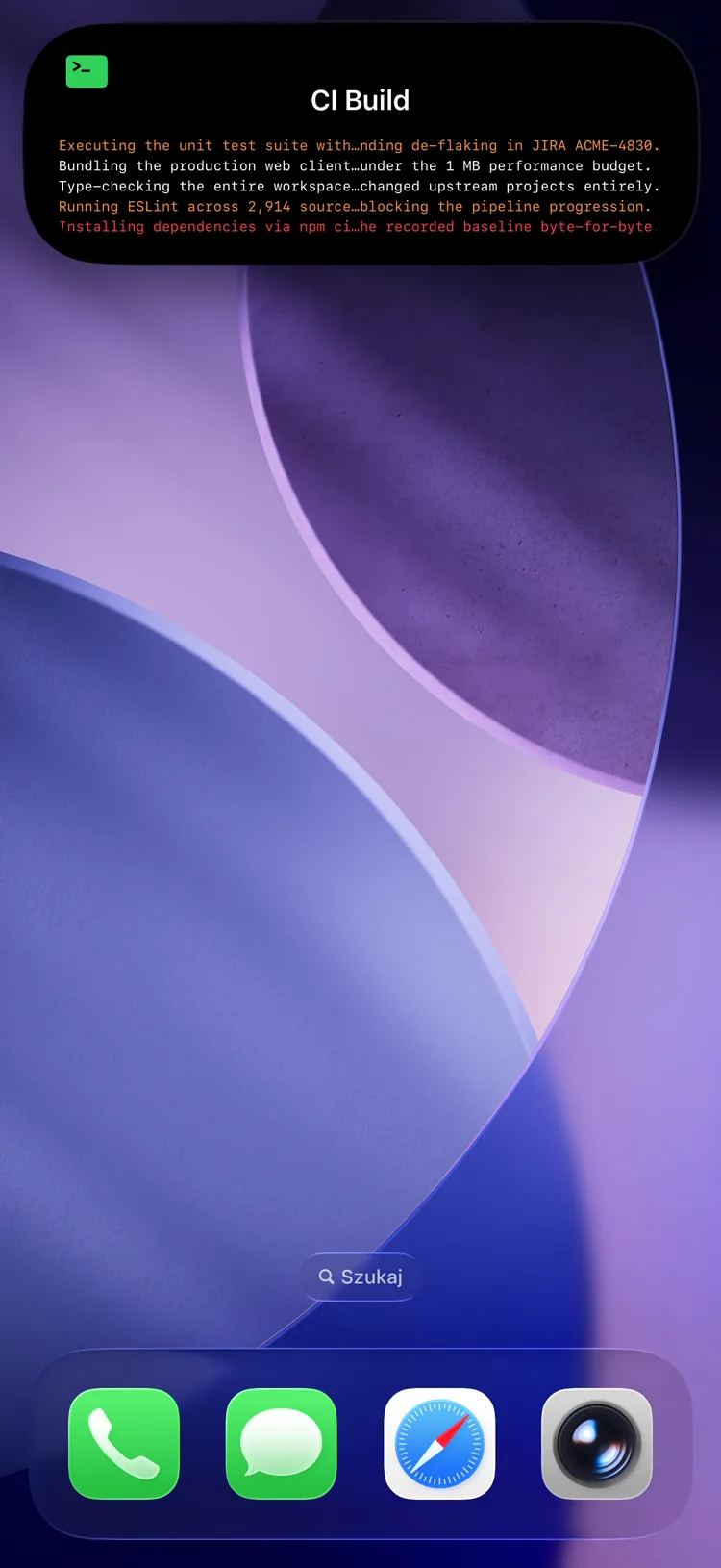
Fields
| Field | Type | Description | ||||||||||||||||||||||||||||||||||||||||||||||||||||||||||||||||||||||||||||||||||||||||||||||||
|---|---|---|---|---|---|---|---|---|---|---|---|---|---|---|---|---|---|---|---|---|---|---|---|---|---|---|---|---|---|---|---|---|---|---|---|---|---|---|---|---|---|---|---|---|---|---|---|---|---|---|---|---|---|---|---|---|---|---|---|---|---|---|---|---|---|---|---|---|---|---|---|---|---|---|---|---|---|---|---|---|---|---|---|---|---|---|---|---|---|---|---|---|---|---|---|---|---|---|
template | string | Required. Must be "log" | ||||||||||||||||||||||||||||||||||||||||||||||||||||||||||||||||||||||||||||||||||||||||||||||||
lines | array | Required. 1–20 line objects, newest first (see below). Replaced wholesale on PATCH — to stream a feed, prepend the new line and re-send the full array (why) | ||||||||||||||||||||||||||||||||||||||||||||||||||||||||||||||||||||||||||||||||||||||||||||||||
state | string | Status text shown beside the activity name (e.g. the source name) | ||||||||||||||||||||||||||||||||||||||||||||||||||||||||||||||||||||||||||||||||||||||||||||||||
icon | string | SF Symbol name (e.g. "doc.text") or MDI icon with mdi: prefix | ||||||||||||||||||||||||||||||||||||||||||||||||||||||||||||||||||||||||||||||||||||||||||||||||
accent_color | string | Named color or hex used for the heading icon. Default: green | ||||||||||||||||||||||||||||||||||||||||||||||||||||||||||||||||||||||||||||||||||||||||||||||||
background_color | string | Background color override | ||||||||||||||||||||||||||||||||||||||||||||||||||||||||||||||||||||||||||||||||||||||||||||||||
text_color | string | Text color override | ||||||||||||||||||||||||||||||||||||||||||||||||||||||||||||||||||||||||||||||||||||||||||||||||
| قادم في إصدار التطبيق 1.14.0 | ||||||||||||||||||||||||||||||||||||||||||||||||||||||||||||||||||||||||||||||||||||||||||||||||||
compact_label | string | Optional, max 4 characters. Replaces the icon and line count in the Dynamic Island compact leading ear. The minimal presentation ignores it. | ||||||||||||||||||||||||||||||||||||||||||||||||||||||||||||||||||||||||||||||||||||||||||||||||
معلومة
The heading above the feed is the activity's top-level name, not a content field. Set it when you create the activity.
Line object
Each entry in lines is an object:
| Field | Type | Description |
|---|---|---|
text | string | Required. The log message. Max 512 characters |
at | integer | Unix timestamp (seconds) shown as the line's time |
level | string | One of info, warn, error — tints the line and its marker |
معلومة
The Live Activity always shows the most recent lines that fit the ~4 KB APNs payload.
نصيحة
The server keeps a rolling scroll-back backlog beyond what fits on screen. The PushWard app fetches it with GET /activities/{slug}?include=log_backlog to show full history in-app — the field is read-only and never needs to be sent.
Example: Streaming Deploy Log
سجلّ نشر متدفّق
{
  "state": "ongoing",
  "content": {
    "template": "log",
    "state": "pushward-server",
    "icon": "doc.text",
    "accent_color": "purple",
    "lines": [
      { "text": "Rollout complete — 3/3 pods healthy", "at": 1718990000, "level": "info" },
      { "text": "Image pull slow on node arm-2", "at": 1718989950, "level": "warn" },
      { "text": "Applied manifest revision d86246c", "at": 1718989930, "level": "info" },
      { "text": "Sync started by webhook", "at": 1718989900, "level": "info" }
    ]
  }
}
Use Cases
- CI/CD — live deploy and pipeline logs
- Home automation — event feeds (motion, doors, presence)
- Monitoring — rolling alert and incident streams
- Self-hosting — download/import progress, backup steps, sync activity