Relay
将您服务的 webhook 指向 relay.pushward.app,无需 Docker、自托管或逐用户配置即可收到推送通知。
Supported Providers
Grafana
/grafana事件
- Firing
- Resolved (grouped by alertname)
Public Relay
PushWard hosts a public relay at relay.pushward.app — no deployment required. Just point your services at it with your integration key. It supports every provider listed above; if you prefer to self-host, see the self-hosted setup further down.
# Grafana Contact Point URL:
https://relay.pushward.app/grafana

# HTTP Header:
Authorization: Bearer hlk_YOUR_INTEGRATION_KEY
One URL for any service
You can also post any webhook to the relay root, https://relay.pushward.app/. Payloads from the providers above are recognised and handled exactly as on their own route, except TrueNAS and Gitea or Forgejo events other than Actions runs, which need their own route. Anything else goes to the universal webhook, which maps the payloads of dozens of known services through presets (some open an alert or progress card) and sends any other JSON as one plain notification. Where a service lets you set the path, its own route is still the better choice.
How It Works
- Receive — external services send webhooks to provider-specific routes
- Authenticate — the integration key is extracted from the
Authorization: Bearer hlk_...header (or Basic Auth password for Radarr/Sonarr/Prowlarr/Bazarr/Komodo, or GenieKey for TrueNAS) - Transform — the provider handler maps the webhook payload to a push notification or Live Activity update depending on the event type
- Forward — the request is sent to PushWard using the caller's integration key
Per-user usage is bounded by your account's plan (free tier monthly quotas; unlimited on paid).
Push Notifications vs Live Activities
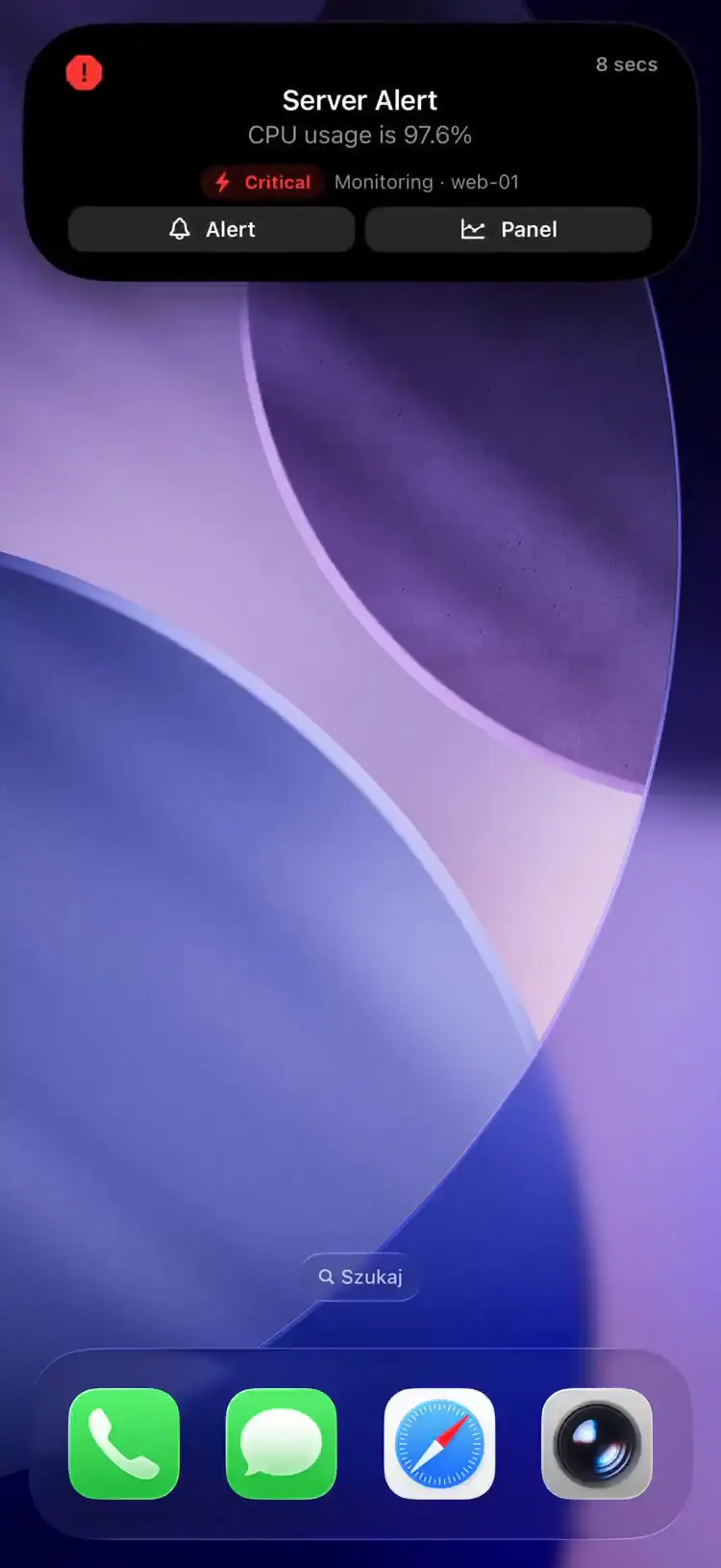
Each provider delivers events as either a push notification (banner alert) or a Live Activity (Dynamic Island + Lock Screen), depending on the event type:
| Delivery | Providers | Use case |
|---|---|---|
| Notification only | Grafana, Prowlarr, Bazarr | One-shot alerts — firing/resolved, health, grabs, subtitle downloads |
| Live Activity only | ArgoCD, Uptime Kuma, Backrest, Proxmox, Overseerr, Gatus, Changedetection, Paperless, Unmanic, Gitea, Forgejo | Multi-step progress tracking (syncs, downloads, backups) |
| Both | Radarr, Sonarr, Jellyfin, Komodo, TrueNAS | Radarr/Sonarr: Grab/Download → Live Activity; Health/Rename/Add/Delete → notification. Jellyfin: playback → Live Activity; library adds, scheduled tasks, auth failures → notification. Komodo: resolvable server conditions (CPU, memory, disk, unreachable, version mismatch, swarm) → Live Activity plus a companion notification; container state, build failed, image update → notification only. TrueNAS: each alert → Live Activity plus a companion notification |
Relay requires PostgreSQL for persistent state (sync tracking, download lifecycle, playback progress across restarts and tenants). Stateless providers (Bazarr, Changedetection, Unmanic) still require a database connection to start.
本节介绍的功能来自一个正在等待 App Store 审核的应用更新。更新上线后,此处会自动解锁。
End-to-end encryption
Notifications sent through the relay are not end-to-end encrypted. The relay never holds your encryption key: it builds the text from the webhook and sends it to PushWard readable. For encrypted alerts, send them with the CLI, an MCP server you run yourself, Home Assistant, the Grafana plugin or the Unraid plugin.
本节介绍的功能来自一个正在等待 App Store 审核的应用更新。更新上线后,此处会自动解锁。
Poster artwork
Four providers carry artwork through to the Live Activity with no configuration on your side. Jellyfin, Radarr, Sonarr and Overseerr all know which film or episode an event is about, so the relay resolves its poster and attaches both the image URL and a ThumbHash to the activity it creates. The Lock Screen shows cover art instead of a generic download glyph.
Jellyfin in particular is usually reachable only on your own network, and the phone refuses to download an image from a private host -- so the ~25-byte blurred version travelling on the push is the only thing that renders. The relay fetches the artwork once to build that hash, which is the whole reason this works for a self-hosted media server at all.
The webhook waits at most 600ms for a hash it does not already have, then answers without one. The fetch is not cancelled: it carries on under its own ~3s budget and fills the relay-wide cache, so the very first event for a film you have never seen before arrives bare and the next update picks the artwork up. If a poster cannot be resolved at all -- an untagged file, an unreachable image endpoint -- the activity falls back to its icon exactly as before.
Artwork from a media server on your LAN
The relay will not fetch from a private address unless you tell it to. poster.allow_private_hosts is false by default, so on a stock relay a http://192.168.1.10:8096/... or jellyfin.local poster produces no ThumbHash -- and since the phone independently refuses that host too, nothing renders. Self-hosting the relay alongside the media server is the case this setting exists for:
poster:
  enabled: true
allow_private_hosts: true| 环境变量 | 说明 | 默认值 |
|---|---|---|
PUSHWARD_POSTER_ALLOW_PRIVATE_HOSTS | Let poster fetches reach loopback, RFC 1918, CGNAT/Tailscale and link-local addresses. It is also what permits a plain http fetch; with it off the relay fetches over https only (YAML: poster.allow_private_hosts) | false |
PUSHWARD_POSTER_ENABLED | Attach poster artwork at all. Turning it off drops both the image URL and the ThumbHash (YAML: poster.enabled) | true |
Leave this off on any relay that accepts webhooks you do not control, including the public relay.pushward.app, which runs with the default. The webhook payload is what carries the image URL, so a relay that will fetch private addresses on request is an SSRF probe of everything it can reach. When it is on, the check runs against the resolved address rather than the hostname, so a DNS name pointing at 127.0.0.1 does not slip past it.
The ThumbHash encoder decodes JPEG, PNG and GIF. Artwork served as WebP or AVIF gets an image_url but no hash, so it renders only when the phone can reach the URL.
Per-request overrides
Append query parameters to any provider webhook URL to override that provider's delivery behavior for a single request. An explicit parameter always wins over the provider-computed value and your static config; omitting a parameter leaves today's behavior unchanged.
| Parameter | Values | Effect | ||||||||||||||||||||||||||||||||||||||||||||||||||||||||||||||||||||||||||||||||||||||||||||||||
|---|---|---|---|---|---|---|---|---|---|---|---|---|---|---|---|---|---|---|---|---|---|---|---|---|---|---|---|---|---|---|---|---|---|---|---|---|---|---|---|---|---|---|---|---|---|---|---|---|---|---|---|---|---|---|---|---|---|---|---|---|---|---|---|---|---|---|---|---|---|---|---|---|---|---|---|---|---|---|---|---|---|---|---|---|---|---|---|---|---|---|---|---|---|---|---|---|---|---|
channels | Comma-separated: activity, notification | Restricts which delivery surfaces this request may use. channels=notification suppresses Live Activities and only sends push notifications; channels=activity does the reverse. Must list at least one valid surface. | ||||||||||||||||||||||||||||||||||||||||||||||||||||||||||||||||||||||||||||||||||||||||||||||||
priority | Integer 0-10 | Sets the eviction / relevance priority for any Live Activity the request creates. | ||||||||||||||||||||||||||||||||||||||||||||||||||||||||||||||||||||||||||||||||||||||||||||||||
level | passive, active, time-sensitive, critical | Sets the notification interruption level for any push notification the request sends. | ||||||||||||||||||||||||||||||||||||||||||||||||||||||||||||||||||||||||||||||||||||||||||||||||
| 将在应用版本 1.17.0 中推出 | ||||||||||||||||||||||||||||||||||||||||||||||||||||||||||||||||||||||||||||||||||||||||||||||||||
ack | 1 or 0 | 1 repeats an alert's push until someone acknowledges it or it expires, and the resolve stops the repeats. See Acknowledged alerts. | ||||||||||||||||||||||||||||||||||||||||||||||||||||||||||||||||||||||||||||||||||||||||||||||||
ack_repeat | Seconds, 30-3600 (default 300) | How often the alert repeats. Needs ack=1. | ||||||||||||||||||||||||||||||||||||||||||||||||||||||||||||||||||||||||||||||||||||||||||||||||
ack_expire | Seconds, 60-10800 (default 3600) | How long the alert keeps repeating when nobody acknowledges it. Needs ack=1. | ||||||||||||||||||||||||||||||||||||||||||||||||||||||||||||||||||||||||||||||||||||||||||||||||
https://relay.pushward.app/grafana?channels=notification&level=time-sensitiveAn invalid value is rejected with 400 before the webhook is processed — an unknown channels surface, a priority that isn't an integer 0-10, or a level outside the four allowed values. Fix the URL rather than retrying.
本节介绍的功能来自一个正在等待 App Store 审核的应用更新。更新上线后,此处会自动解锁。
Acknowledged alerts
With ack=1, the push for a new alert repeats until someone taps Acknowledge on one of their devices, or until ack_expire runs out. The routes that send alerts take it: Grafana, Uptime Kuma, Gatus, Komodo, TrueNAS (through its own URL, below) and the alerts of the universal webhook. Only that push repeats. Resolved notifications, passive ones and the other providers' notifications go out as before, and channels=activity sends no push at all.
https://relay.pushward.app/uptimekuma?ack=1&ack_repeat=60- The resolve webhook stops the repeats: Grafana with nothing left firing in the group, Uptime Kuma UP, Gatus resolved, a Komodo condition resolved, the TrueNAS clear, a universal webhook alert clearing. The relay stops them first and sends the resolved notification after, so the remaining repeats do not land on top of it. The resolve has to reach a URL with
ack=1as well, which it does when the service posts both to the same URL. - The relay stops Grafana repeats per alert name. With a contact point that groups by instance or folder, one group resolving also stops the repeats of another group of the same alert that is still firing.
- Komodo events that never resolve (a failed build, a stopped container) repeat until someone acknowledges them or they expire. With
ack=1they are keyed on the condition (target and alert type), so the next event of the same condition replaces the repeats of the one before instead of taking another of the 25. - An account can have at most 25 repeating alerts at once, shared with everything else that sends acknowledged notifications with your keys. When it is full, or the server refuses the acknowledge for another reason, the relay sends the alert once without repeats, so it still arrives.
- An
ackother than1or0, anack_repeatorack_expirethat is not an integer in its range or comes withoutack=1, andack=1withlevel=passiveare a400. - A self-hosted relay needs version 0.17.0 or later.
TrueNAS cannot use query parameters: it appends /v2/alerts to the API URL it is given, so a query string never arrives as one. To repeat its alerts, set the API URL of its OpsGenie alert service to the URL below. Each alert then repeats every 5 minutes for up to an hour, until it is acknowledged or TrueNAS clears it.
https://relay.pushward.app/truenas/ackHow the button, the repeats and their limits work is covered on the acknowledged alerts page.
Setup
1. Get Your Integration Key
使用您在 PushWard 应用的 设置 → 集成密钥中的默认集成密钥,或为此集成创建限定范围的密钥。
2. Self-Hosted (Optional)
If you prefer to run your own relay instance:
services:
  pushward-relay:
    image: ghcr.io/mac-lucky/pushward-relay:latest
    ports:
      - "8090:8090"
    environment:
      PUSHWARD_URL: https://api.pushward.app
      PUSHWARD_DATABASE_DSN: postgres://user:pass@db:5432/relay?sslmode=disable
    restart: unless-stopped

  db:
    image: postgres:17-alpine
    environment:
      POSTGRES_USER: user
      POSTGRES_PASSWORD: pass
      POSTGRES_DB: relay
    volumes:
      - relay-data:/var/lib/postgresql/data

volumes:
  relay-data:
Authentication
Three patterns depending on the provider:
| Method | Providers | Format |
|---|---|---|
| Bearer token | Most providers | Authorization: Bearer hlk_... |
| Basic Auth | Radarr, Sonarr, Prowlarr, Bazarr, Komodo (their webhook settings only support Basic Auth) | hlk_... as password, username ignored |
| GenieKey | TrueNAS | Authorization: GenieKey hlk_... |
Configuration
| 环境变量 | 说明 | 默认值 |
|---|---|---|
PUSHWARD_URL | PushWard server URL | -- |
PUSHWARD_DATABASE_DSN | PostgreSQL connection string | -- |
PUSHWARD_SERVER_ADDRESS | HTTP listen address | :8090 |
Each provider can be individually enabled/disabled and configured with its own priority, cleanup delay, and stale timeout via environment variables or YAML config.