Countdown-Vorlage
Ein Timer mit servergesteuertem Lebenszyklus: Sende einen einzigen Start-Push, und der Server löst die Warn- und Abschluss-Updates selbst aus.
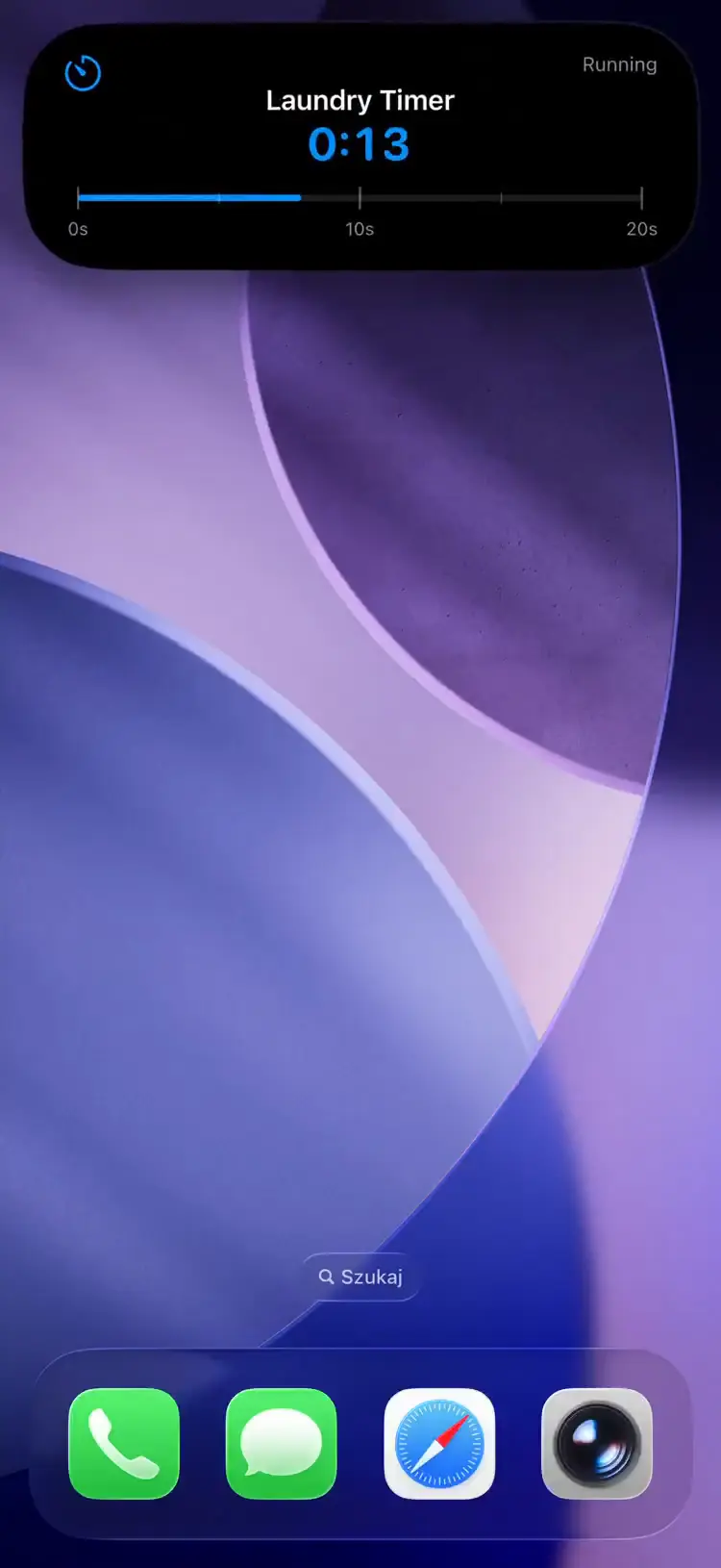
Fields
| Field | Type | Description | ||||||||||||||||||||||||||||||||||||||||||||||||||||||||||||||||||||||||||||||||||||||||||||||||
|---|---|---|---|---|---|---|---|---|---|---|---|---|---|---|---|---|---|---|---|---|---|---|---|---|---|---|---|---|---|---|---|---|---|---|---|---|---|---|---|---|---|---|---|---|---|---|---|---|---|---|---|---|---|---|---|---|---|---|---|---|---|---|---|---|---|---|---|---|---|---|---|---|---|---|---|---|---|---|---|---|---|---|---|---|---|---|---|---|---|---|---|---|---|---|---|---|---|---|
template | string | Required. Must be "countdown" | ||||||||||||||||||||||||||||||||||||||||||||||||||||||||||||||||||||||||||||||||||||||||||||||||
progress | float | Required. Initial progress (usually 0.0) | ||||||||||||||||||||||||||||||||||||||||||||||||||||||||||||||||||||||||||||||||||||||||||||||||
duration | string | Required (or end_date). Server-side convenience — converted to end_date before reaching the device. Accepts: "30s", "5m", "1h30m", or plain seconds ("1500") | ||||||||||||||||||||||||||||||||||||||||||||||||||||||||||||||||||||||||||||||||||||||||||||||||
end_date | integer | Required (or duration). Unix timestamp when the countdown expires | ||||||||||||||||||||||||||||||||||||||||||||||||||||||||||||||||||||||||||||||||||||||||||||||||
start_date | integer | Unix timestamp when the countdown began. Must be less than end_date. Used to compute progress on-device. | ||||||||||||||||||||||||||||||||||||||||||||||||||||||||||||||||||||||||||||||||||||||||||||||||
warning_threshold | integer | Seconds before end_date to send a warning push (accent turns orange) | ||||||||||||||||||||||||||||||||||||||||||||||||||||||||||||||||||||||||||||||||||||||||||||||||
completion_message | string | Text shown when countdown expires (default: "Completed") | ||||||||||||||||||||||||||||||||||||||||||||||||||||||||||||||||||||||||||||||||||||||||||||||||
state | string | Status text (e.g. "Baking", "Printing") | ||||||||||||||||||||||||||||||||||||||||||||||||||||||||||||||||||||||||||||||||||||||||||||||||
icon | string | SF Symbol name or MDI icon with mdi: prefix (e.g. "mdi:timer-outline") | ||||||||||||||||||||||||||||||||||||||||||||||||||||||||||||||||||||||||||||||||||||||||||||||||
subtitle | string | Secondary text | ||||||||||||||||||||||||||||||||||||||||||||||||||||||||||||||||||||||||||||||||||||||||||||||||
accent_color | string | Named color or hex | ||||||||||||||||||||||||||||||||||||||||||||||||||||||||||||||||||||||||||||||||||||||||||||||||
background_color | string | Background color override | ||||||||||||||||||||||||||||||||||||||||||||||||||||||||||||||||||||||||||||||||||||||||||||||||
text_color | string | Text color override | ||||||||||||||||||||||||||||||||||||||||||||||||||||||||||||||||||||||||||||||||||||||||||||||||
alarm | boolean | Opt-in: schedule an iOS AlarmKit alarm at end_date that rings through silent mode and Focus, with built-in Dismiss and Snooze. iOS 26+ only. Persists across partial updates until cleared with alarm: null or a transition to ended — see Alarms. | ||||||||||||||||||||||||||||||||||||||||||||||||||||||||||||||||||||||||||||||||||||||||||||||||
snooze_seconds | integer | How long the alarm's Snooze button defers the alarm, in seconds (60–3600). Defaults to 300 (5 minutes). | ||||||||||||||||||||||||||||||||||||||||||||||||||||||||||||||||||||||||||||||||||||||||||||||||
| Kommt in App-Version 1.14.0 | ||||||||||||||||||||||||||||||||||||||||||||||||||||||||||||||||||||||||||||||||||||||||||||||||||
compact_label | string | Optional, max 4 characters. Replaces the icon in the Dynamic Island compact leading ear. The minimal presentation ignores it. | ||||||||||||||||||||||||||||||||||||||||||||||||||||||||||||||||||||||||||||||||||||||||||||||||
Accepts url_action, secondary_url_action, and tap_action — tap_action is useful for deep-linking back into the timer's source app while it runs. See Tap actions.
Example Payload
Einen Countdown starten
{
  "state": "ongoing",
  "content": {
    "template": "countdown",
    "progress": 0.0,
    "state": "Baking",
    "icon": "flame",
    "subtitle": "25 min timer",
    "duration": "25m",
    "warning_threshold": 60,
    "completion_message": "Done baking!",
    "accent_color": "orange",
    "alarm": true
  }
}
Auto-Managed Lifecycle
After the start push the server manages the remaining lifecycle, in this order; the timer display itself is computed on-device from start_date and end_date, so it counts down in real time without additional pushes.
| Phase | Trigger | What the server sends |
|---|---|---|
| Start | Your push | Nothing -- your update sets ended -> ongoing with the countdown content |
| Warning | warning_threshold seconds remain | An update with accent_color: "orange", automatically |
| Completion | end_date reached | An end push with completion_message and progress: 1.0 |